Coach Hub
- Problem —
- On an aggressive deadline, coaches needed a way to record consultations and use member data to coach better.
- Solved by —
- A coach workspace built on the data coaches ranked most useful, with a dedicated, fast note-taking page.
- Impact —
- Coaches quickly capture notes and learn each member’s story from data, freeing more time to coach.
- Role
- User Experience Designer | Architect
- Client
- EXOS
- Deliverables
- Research, Information architecture, Interaction design, Wireframes, High-fidelity UI
Process
01Discover
Surveyed 200+ coaches, with 85+ responses in five days, to rank which member and client data actually matters.
02Define
Workshopped coaches’ jobs-to-be-done with the PM, UI designer, and Performance Innovation Lead, scoping a lean MVP.
03Design
Sketched and prototyped multiple ways to organize member data and notes, testing how layout, IA, and interaction work together.
04Test
Ran 10 unmoderated tests comparing two note-taking prototypes, then six coach sessions finding members, leaving notes, and reading their data.
Key decisions
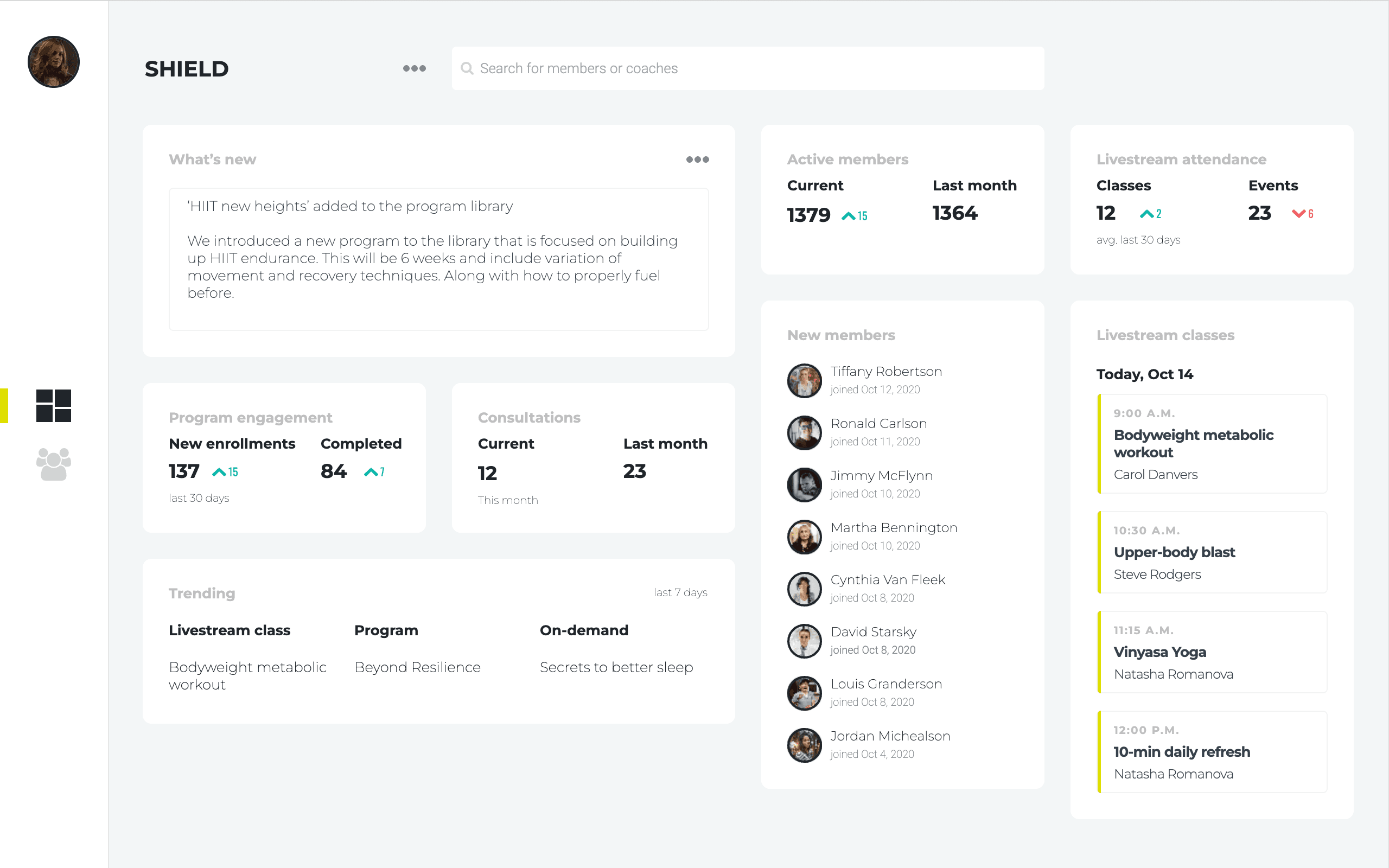
- AAnnouncements lead the dashboard because coaches ranked them their most useful client data
- BHeadline metrics show their change versus last period, so coaches spot trends without running reports
- CToday’s classes listed by time with the coach beside each, so the day’s plan is one glance away
- DTrending content shows what members actually use, guiding what coaches recommend next
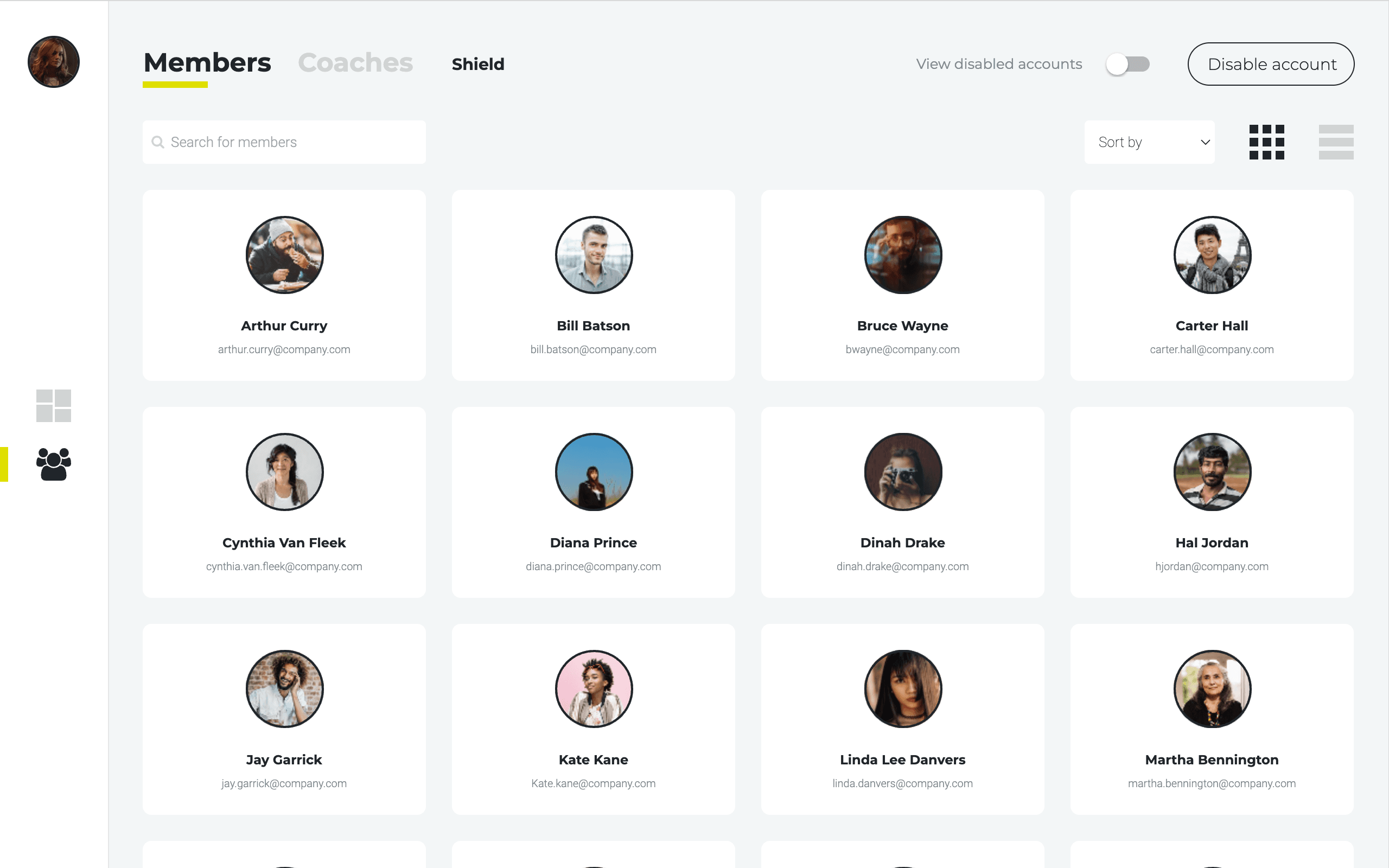
- ASearch and sort sit above the grid, so finding one member among hundreds takes seconds
- BDisabling an account is outlined and set apart from navigation, preventing costly mis-clicks
- CGrid view for recognizing faces, list view for scanning data; coaches pick what suits the task
- DPhoto-first cards match how coaches remember people: by face before name
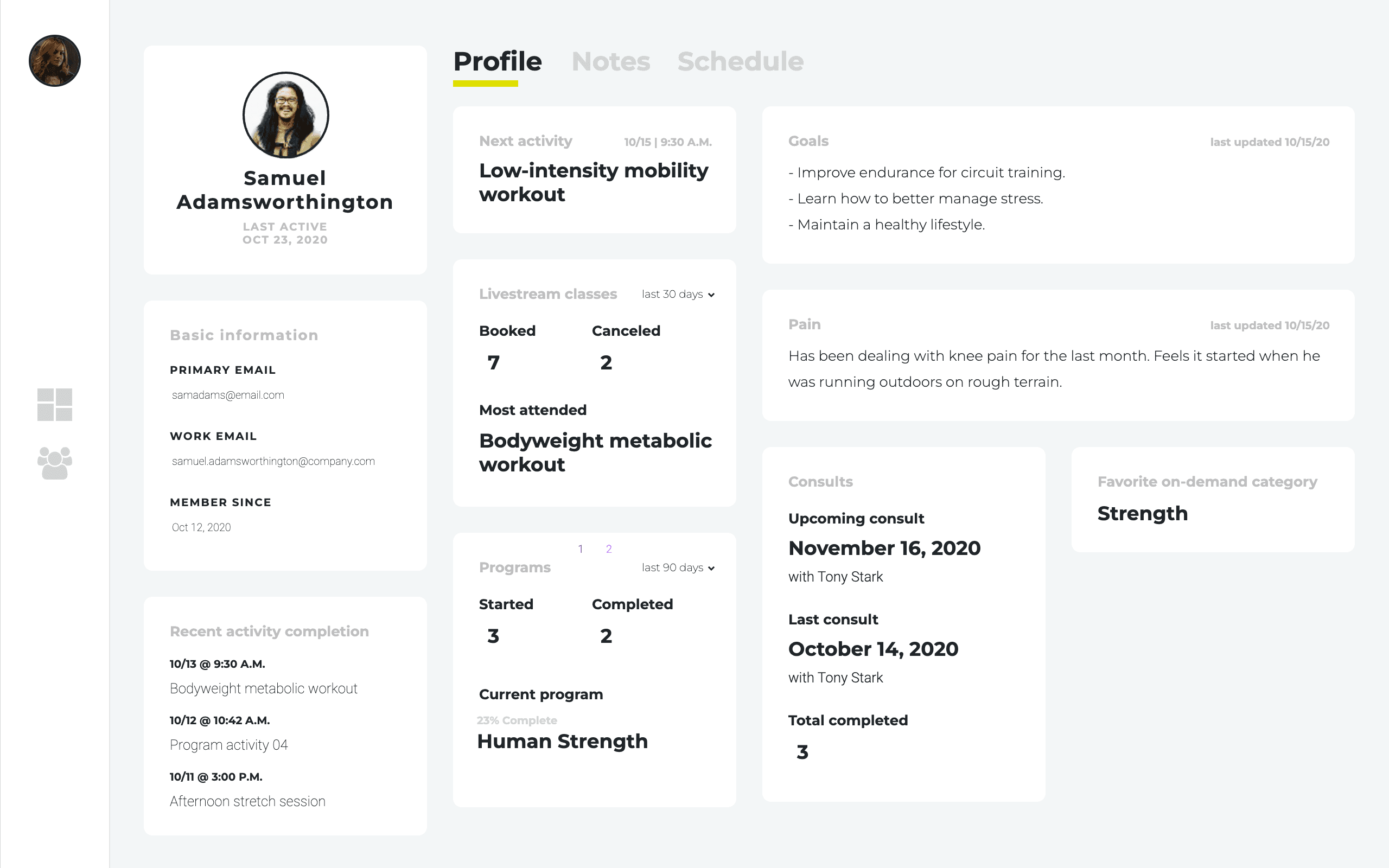
- AProfile, notes, and schedule split into tabs, keeping each job focused instead of one crowded page
- BGoals and pain lead the profile, a top survey request, so coaches start every session informed
- CUpcoming and last consults sit side by side, making session prep a single glance
- DCurrent program and progress in one block show whether a member is on track or slipping
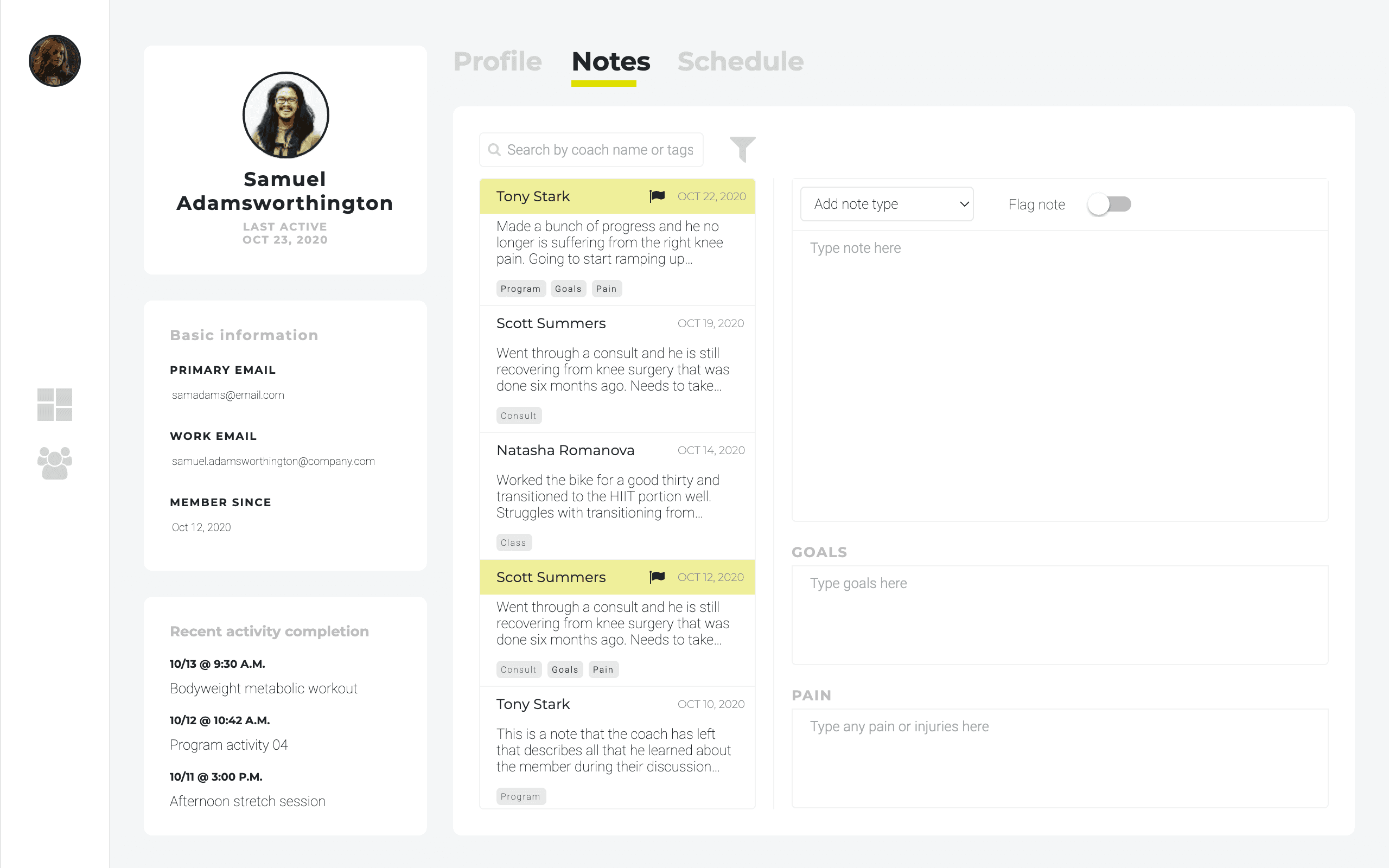
- AFlagged notes stay highlighted in the history, so critical context like injuries never gets buried
- BTesting renamed “pin” to “flag” to match what coaches meant: this note needs attention
- CTags tie each note to goals, pain, or program, building a member’s story over time
- DNotes got their own page after testing, with the composer beside history so recording stays quick
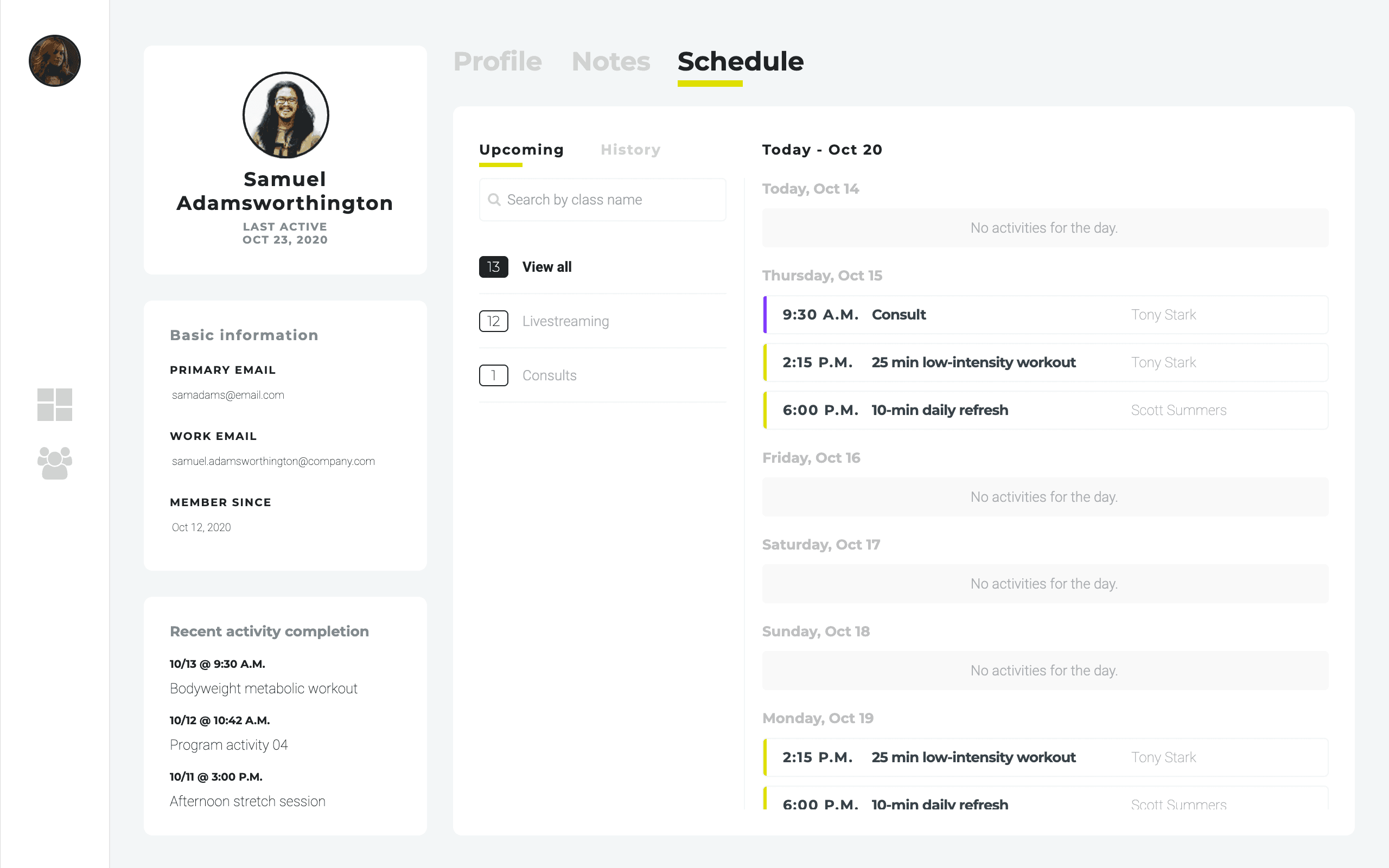
- AThe schedule defaults to what’s next, with history one tab away for spotting attendance patterns
- BEmpty days stay visible with a clear message, so gaps in attendance read as signal, not missing data
- CConsults and classes get distinct color markers, so one-on-one time stands out in a busy week
- DType filters with counts show how a member engages: livestreams versus one-on-one consults
What research showed
- 01
Coaches ranked recent activity, the last three sessions with timestamps, and notes about pain as the most useful member data.
- 02
For the client dashboard, an announcements board ranked first, ahead of every attendance and engagement metric.
Outcomes
Faster notes
A dedicated note page lets coaches capture consults quickly, so admin never crowds out coaching
Member stories
Relevant data reveals each member’s story, making every session more personal and informed
Coach-ranked
Every dashboard and profile data point traces to coaches’ own survey rankings